URSSI Research Software Engineering Best Practices

7/15/2026 DBMI RSE-CoP Meeting

URSSI Summer School Overview

  • URSSI: U.S. Research Software Sustainability Institute
  • This presentation is adapted from materials developed for the June 2026 URSSI Summer School
    • The workshop used Python for its examples and tools, but the principles here apply across languages

Presentation Goals

  • Review best practices as presented by URSSI
  • Discuss agreement/disagreement
  • Discuss implementation in practice

Managing Environments

  • Don’t install packages into global environment
  • Python:
    • Mac/Linux: use virtual environments
      • options: built-in venv, virtualenv, uv
      • options that also handle packaging & production: hatch, poetry, pipenv
    • Windows/projects with non-python dependencies: use Anaconda
      • options: miniforge, pixi, micromamba

Do you use one system for all projects, or select the best system for each project?

Software Design & Modularity

  • Why modularity?
    1. Understandability: break code into small pieces that can be understood separately
    2. Maintainability & Reuse: make code easier to maintain, reuse, and extend
    3. Adaptability: design code that can accomodate future requirements and new uses

Software Design & Modularity

  • A modular codebase should be:
    1. Decomposable: broken into modules
    2. Composable: can be reused
    3. Understandable: each module alone
    4. Continuous: small requirement change affects few modules
    5. Isolated: error in one module does not affect others

Which of these is hardest to achieve in your work?

Software Design & Modularity

  • Common design patterns to help achieve modularity:
    • Abstract Base Classes: define common interface
    • Factory Pattern: select appropriate implementation of common interface
    • Many others!
    • Link to common python patterns

What type of patterns do you reach for in your work?

Structuring Python Packages

mypackage/                # the project folder
├── README.md
├── CITATION.cff
├── LICENSE.txt
├── pyproject.toml        # the one config file (packaging + tools)
└── src/
    └── mypackage/        # the package (importable)
        ├── __init.py__   # makes it a package; defines the public API
        └── module.py     # single .py file with definitions (functions, classes, ...)
  • TOML: minimal configuration file format (link)
    • plain text file of key = value settings grouped under [section] headers
    • easy for humans to read and machines to parse

Have you made a python package? If so, did you use a .toml file?

Building Python Packages

  • Building: turning your human-readable source code into a tidy, installable bundle
    • a build backend (ex. setuptools) is the tool that does the building
    • a build frontend (ex. pip or build) is the tool you run, which calls the backend

Which build backend have you used or do you recommend?

Git Refresher

Branching & Merging
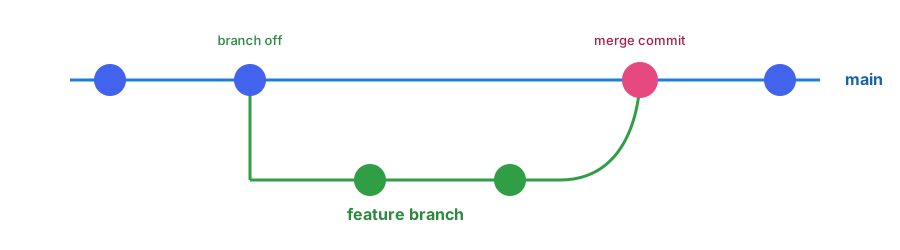
Feature Branching Workflow
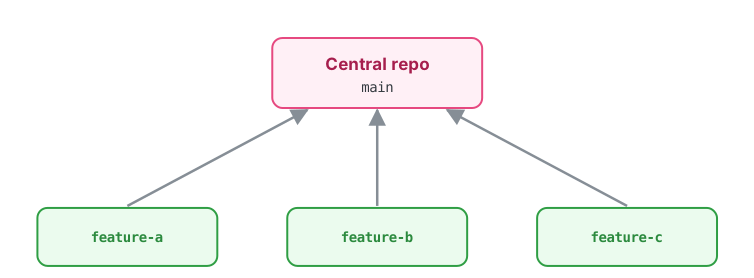
1. Create a branch → 2. Add commits → 3. Push it → 4. Open a pull request → 5. Discuss & merge

Forking Workflow
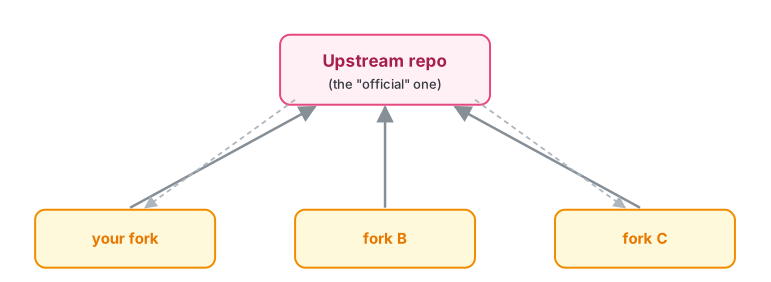
  • You don’t need write access to the central repo — this is how most open-source contributions work

Pull Requests

  • Never send a pull request from main
  • Github has a command-line tool (gh) for pull requests

Which workflow (feature branching or forking) do you primarily use and why? Do you use Github’s CLI?

Participating in Code Review

Common practices in open-source software development:

  • Contributor:
    • Keep PR small and focused
    • Explain what changed and why
    • Include tests and documentation
    • Respond constructively to feedback
    • Revise the PR until ready to merge
  • Reviewer: (link to checklist):
    • Understand the motivation
    • Check correctness and readability
    • Review tests and documentation
    • Consider the user experience
    • Give constructive feedback
    • Approve the PR when ready to merge

Do you regularly participate in code review? What is practical in your work?

Testing

  • Why? Tests ensure new changes don’t break existing code and help guide refactoring by exposing the user experience
  • Test expected behavior and edge cases at multiple levels:
    • unit tests: a single function or class in isolation
    • integration tests: multiple modules working together
    • functional tests: whole workflow from the user perspective
  • Most tests should be unit tests
  • pytest auto runs test_*.py files and test_* functions
my_project/
├── src/
│   └── my_project/
│       └── module_a.py
└── tests/
    └── test_module_a.py
# tests/test_module_a.py

def test_mean():
    assert mean([1, 2, 3]) == 2
$ pytest
======= 1 passed in 0.01s =======

How do you verify your code is correct? Where does automated testing fit in to your projects?

Linting/Formatting/Type Checking

  • What?
    • linting: flags problems in code (unused variables, duplicate imports, etc.)
    • formatting: reformats code to a consistent style
    • type checking: verifies consistency with declared types
  • How?
    • Pre-commit runs configured checks automatically during git commit
    • Configure these checks in .pre-commit-config.yaml
repos:
  - repo: ...
    hooks:
      - id: ruff
      - id: black
      - id: mypy

Which of these do you use? Do you use pre-commit or run manually?

Continuous Integration

  • CI: automatically runs project checks whenever code changes are pushed or proposed
    • Implement with GitHub Actions: which can automatically run tests, linting, formatting, and type checking on every push or pull request
    • Can also use to build documentation, measure percentage of code covered by tests, and deploy to PyPI for new releases
  • Add .yml file in .github/workflows/ to trigger GitHub Actions
  • Free for public repos, limits on private repos

Do your repos have CI workflows? What tasks are most important to automate?

# .github/workflows/ci.yml
name: CI
on: [push, pull_request]
jobs:
  test:
    runs-on: ubuntu-latest
    steps:
      - uses: actions/checkout@v4
      - uses: actions/setup-python@v5
      - run: pip install -e .[dev]
      - run: pytest

Documentation and Versioning

Level Audience Example
Instructions Anyone arriving at the repo README.rst, INSTALL.md
API documentation People calling your code docstrings → Sphinx site
Self-documenting code People reading your code PEP 8 names
Comments People editing your code # why, not what
User guides Domain users Github Pages tutorials
Versioning All of the above MAJOR.MINOR.PATCH

Do you do all of the above? Which levels do you believe are the most time consuming or difficult?

Software Licenses

  • Terms by which others may use or modify your code
  • Proprietary or Free/Open Source (FOSS, FLOSS, OSS)
    • FOSS categories: permissive and “copyleft”
      • Permissive: allow further distribution under any license (ex. BSD 3-clause, MIT)
      • Copyleft: require modifications to be shared under the same license (“viral”) (ex. GPL)

Which license do you typically use and why?

Archiving Software

  • Recommended workflow:
    • git tag -a v0.0.1 -m "version 0.0.1"
    • git push origin --tags
    • Go to GitHub repo -> Releases -> v0.0.1
    • Create release from tag
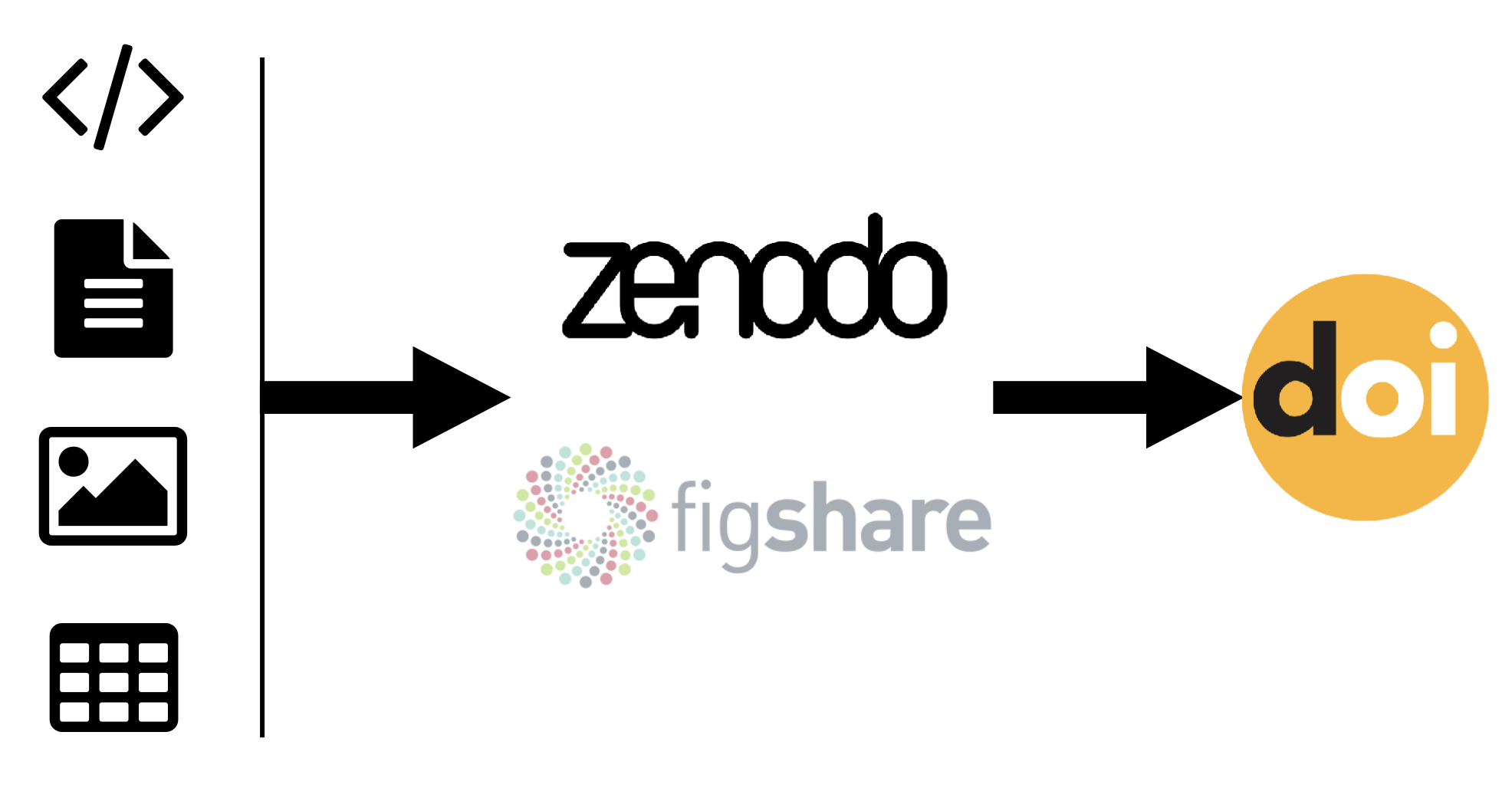
    • Grab the DOI from Zenodo!

Reproducibility Packs

  1. Produce a single repro-pack for an entire paper, which contains:
    • Plotting scripts and associated results data
    • Figures (PDFs for plots, always)
    • Any other relevant data: input files, configuration files, etc.
  2. Upload to Figshare/Zenodo under CC-BY license
  3. Cite using the resulting DOI in the associated paper(s)

Lets you reuse your figures without violating the journal copyright.

Have you heard of repro-packs or do you already implement them?

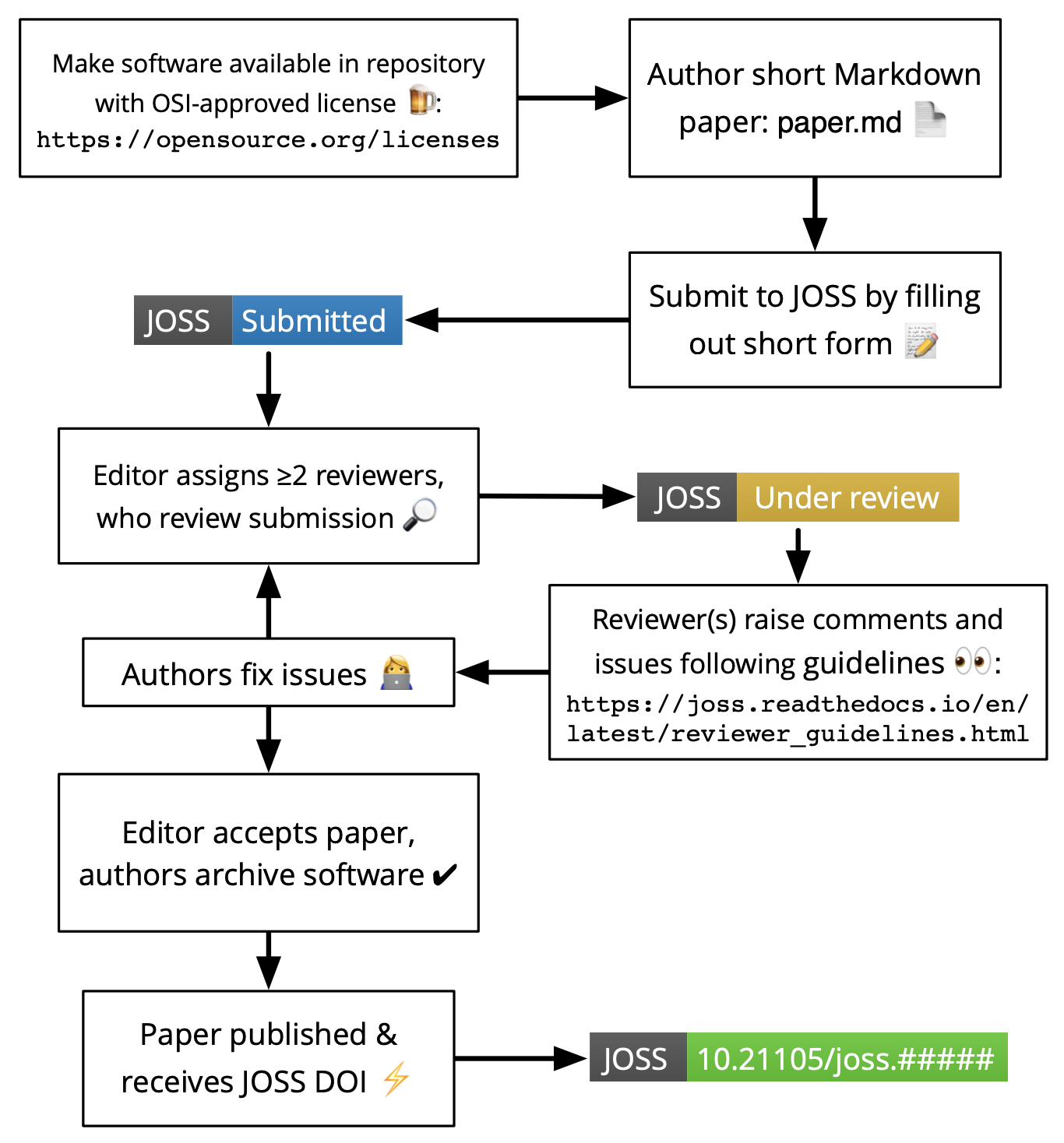
Journal of Open Science Software

  • Developer-friendly journal for research software packages
  • Affiliate of Open Source Initiative
  • Open access & no fees

Would you consider publishing in JOSS?
Closing Discussion

  • What do you agree with?
  • Disagree with?
  • What does implementation look like in practice?

Resources